The Easiest Way to Rank Your Google Business Profile Without Professional Help
For years, small business owners have been told that local search is a dark art – a complex web of technical sorcery that requires a $2,000-per-month retainer to navigate. I’m here to tell you that’s a myth. As we move into 2026, google business profile seo has shifted from a “marketing” task to a fundamental piece of business infrastructure. If you can manage a Facebook page or an email inbox, you have the technical capacity to dominate the local map pack.
In the current landscape, Google cares less about how many “backlinks” your website has and more about the clarity, reliability, and real-world engagement signals your business generates. The algorithm is looking for trust. It’s looking for businesses that actually exist, interact with their customers, and provide a seamless mobile experience. This guide is your no-nonsense blueprint to achieving those rankings without hiring an agency. We are going to treat your profile like a piece of high-performance infrastructure, ensuring that every signal you send to Google is optimized for maximum visibility.
Why Your Google Business Profile is More Important Than Your Website in 2026
The era of the “Zero-Click Search” is fully upon us. Recent data suggests that over 65% of local searches never result in a click to a website. Why? Because Google has become so efficient at providing the answer directly on the search results page. If a customer needs an emergency plumber, they aren’t reading a 1,000-word “About Us” page; they are looking at the map pack, checking the star rating, and hitting the “Call” button.
In 2026, your Google Business Profile (GBP) is your digital storefront. In many high-intent niches like HVAC, roofing, or legal services, a well-optimized profile can generate 5x more leads than a full-scale website. Take the case of “Jamal Electric,” a solo electrician in Burnaby, BC. Jamal had no website and zero ad budget. By focusing strictly on google business profile seo – optimizing his categories, aggressive review acquisition, and consistent posting – he landed in the Top 3 for “electrician Burnaby” within four weeks. He outperformed legacy companies that had been around for decades because he gave Google exactly what it wanted: real-time relevance.
This shift means you can stop stressing over complex SEO jargon and start focusing on the “Simple Profile Tweaks That Drive More Calls From Google Maps.” Your website still matters for long-form authority, but for the “I need this now” customer, the map pack is the only game in town.
The Foundation: Tier 1 Critical Ranking Factors
Before you start posting updates or asking for reviews, you must get the foundation right. According to Noel Ceta’s extensive research on the 47 factors that influence local rankings, there are seven tiers of signals. Tier 1 is “Critical.” If you mess these up, nothing else matters. You can use local seo tools to audit these basics, but here is the manual checklist you need to follow.
Primary Category Accuracy
This is the single most important setting in your dashboard. Google uses your primary category to define your “relevance” to a search query. If you are a “Personal Injury Attorney” but you set your category to “Lawyer,” you are competing in a much broader, more difficult pool. Be as specific as possible. You can add secondary categories later, but your primary must be the bullseye of what you do.
The Business Name Trap
Your business name must match your legal name or the name on your signage. While “keyword stuffing” (e.g., “Best Burnaby Plumber – Joe’s Plumbing”) might give you a temporary boost, it is the fastest way to get a suspension in 2026. Google’s AI now cross-references your profile with street-view imagery and business registries. Stick to your actual name to build long-term trust.
NAP Consistency (Name, Address, Phone)
Consistency is the bedrock of google business profile seo. Your NAP must be identical across your website, your social profiles, and local directories. If your profile says “Street” and your website says “St.”, it creates a micro-fragment of doubt in the algorithm. Use a google maps rank tracker to see if inconsistent data is causing your rankings to fluctuate across different parts of your city.
Defining Your Service Area
If you don’t have a physical storefront where customers visit, you are a Service Area Business (SAB). Do not list your home address if you don’t have a sign and regular hours. Instead, define your service area by zip codes or city names. Pro-tip: Don’t select a 100-mile radius. Google knows you can’t effectively serve that area. Keep it tight – usually within 20-30 miles – to maintain a high “proximity” score. For more on this, check out 5 Proximity Signals That Drive Consistent Map Pack Success.
Content Depth: Optimizing for “Relevance”
Once the foundation is set, you need to build “Relevance.” Google needs to know exactly what you do so it can confidently show your profile to users. This is where most DIYers fail – they leave their profiles half-empty.
The 750-Character Description
You have 750 characters to sell both the customer and the algorithm. You must include your primary keyword – google business profile seo – within the first 100 characters. Why? Because Google often truncates the description in mobile views. Use the rest of the space to list your specific services and the neighborhoods you serve. This isn’t just for reading; it’s for indexing.
Services and Products Editor
Even if you are a service-based business, use the “Products” editor. This is a visual real estate hack. Create “Products” for your main services (e.g., “Water Heater Installation,” “Emergency Pipe Repair”). Include a high-quality photo, a description, and a “Learn More” button. This makes your profile look massive on mobile devices and provides more context to the algorithm. If you’re wondering how to structure this, follow The 7-Point Checklist for Forcing Your Way Into the Top 3 Map Pack.
The Photo Strategy
Frequency beats quality. You don’t need a professional photographer; you need a smartphone and a habit. Aim to upload 2-3 photos per week. This signals to Google that the business is active. Crucial Step: Ensure your “Location Services” are turned on when you take the photos. This embeds “EXIF data” (geo-tags) into the image, proving to Google that you were actually at the job site you claim to be at. Be careful of the “Small Storefront Detail” – if your photos show a messy, unbranded vehicle or a residential house when you claim to be a commercial office, it can trigger a manual review.
The Review Engine: Velocity, Diversity, and Keywords
Reviews account for approximately 20% of your total ranking power. But in 2026, it’s not just about having a 5-star rating; it’s about the *behavioral data* behind those reviews. If you want to rank google business profile quickly, you need a system.
Review Velocity
If you get 50 reviews in one week and then zero for three months, Google sees this as “unnatural.” This is often a sign of a “google maps ranking service” using bots. You want a steady “velocity” – a consistent stream of reviews that matches your business volume. If you need help getting started without being annoying, read 7 Tactics for Getting More Google Reviews Without Nagging Your Customers.
Keyword Diversity in Reviews
The text within the review matters. When a customer says, “Joe was great,” it helps your reputation. When a customer says, “Joe is the best roofer in Austin and he fixed my shingle roof leak perfectly,” it helps your rankings. Encourage your customers to mention the specific service they received and the city they are in. This creates a powerful “Relevance” signal that is hard for competitors to fake.
The Response Factor
You must respond to 100% of your reviews – both positive and negative. Responding to a negative review within an hour can actually drive a “sudden local listing win.” It shows Google that you are highly engaged with your customers. In 2026, the speed of your response is a tiebreaker signal in competitive markets.
Engagement Signals: Feeding the Google Algorithm
Google’s algorithm has evolved to prioritize “Engagement Signals.” It wants to see that people are not just finding your profile, but interacting with it. This is why google business profile optimization is an ongoing process, not a one-time setup.
Google Posts: Your Social Feed
Treat Google Posts like a mini-blog. You should be posting 2-3 times per week. Use these posts to highlight recent jobs, share tips, or announce promotions. Posts stay “fresh” in the algorithm for about 7 days, so consistency is key. Each post is an opportunity to use secondary keywords like “local business seo” or “rank in google map pack.”
The Q&A Section
Did you know you can ask and answer your own questions? This is a perfectly legal way to pre-populate your profile with an FAQ. Ask common questions like “Do you offer 24/7 emergency service?” or “What areas of Burnaby do you cover?” and then answer them from the business account. This adds more keyword-rich content to your profile and helps convert customers faster.
Messaging and Real-Time Data
If you have Messaging enabled, your response time must be under five minutes. Google tracks this. If you are slow to respond, they will eventually hide the “Message” button from your profile. Furthermore, we are seeing a massive trend where Why Your Map Pack Placement Needs Real-Time WiFi Data in 2026 is becoming a factor. Google can see when “Mobile Dwell Time” increases at your physical location via anonymous WiFi and GPS data, signaling that your business is a popular, high-trust destination.
Common DIY Pitfalls: Why You Aren’t Ranking Yet
If you’ve followed the steps above and you’re still not seeing movement, you might be falling into a few common traps. Using GBP ranking tools can help identify these, but here are the usual suspects:
- The Ghost Location Error: This happens when your business address is flagged as a “Virtual Office” or a “UPS Store.” Google has a massive database of these addresses and will “ghost” your profile (keep it live but never show it in the Top 3) if it suspects you don’t have a physical presence.
- Proximity Overload: You might be trying to rank for a city that is 40 miles away. Why Proximity Alone Won’t Save Your Low Google Business Engagement explains that while distance is a factor, Google will prioritize a highly engaged business 10 miles away over a dormant business 2 miles away.
- The Support Loop: If your profile is suspended or “under review,” don’t keep submitting tickets. Learn How to Reach Google Business Support Without Waiting 48 Hours to get a human on the line.
Another common issue is “Category Dilution.” If you add 20 secondary categories, you confuse the algorithm. Stick to 3-5 highly relevant categories to keep your “Relevance” score high.
Conclusion & Your 2026 Action Plan
Achieving top-tier google business profile seo is not about finding a “secret hack.” It is about consistency, infrastructure, and responding to the behavioral signals that Google values in 2026. Agencies often overcomplicate this process to justify their fees, but the reality is that the business owner who is “closest to the work” usually has the best data to feed the algorithm.
Your action plan for the next 30 days is simple:
- Audit your Primary Category and NAP consistency.
- Fill out every single character of your description and service list.
- Upload 3 geo-tagged photos every single week.
- Implement a system to get at least 2 reviews per week with keyword-rich text.
- Post a Google Update every Monday, Wednesday, and Friday.
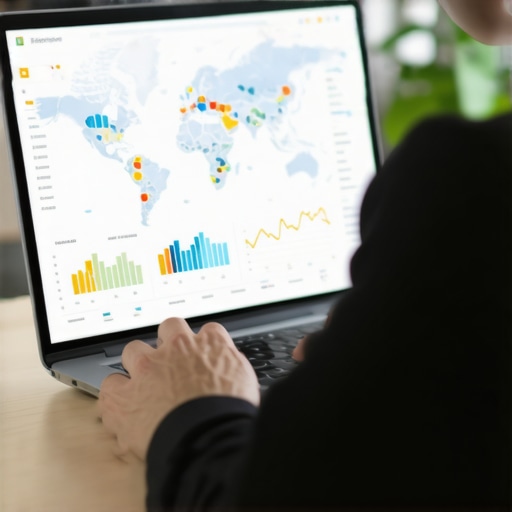
If you want to see exactly where you stand against your competitors, I recommend using google maps ranking service or other specialized local seo tools to run a “grid report.” This will show you exactly where your rankings drop off and where you need to focus your efforts. Local SEO is a marathon, but when you build the right infrastructure, the leads will come in 24/7 without you ever having to pay for a single click.